
Intel 9560NGW Wi-Fi 5 and Bluetooth 5.1 laptop wireless module
₾90Supported Operating Systems
Windows 11, 64-bit, Windows 10, 64-bit, Linux, Chrome OS
Max Speed: 1.73 Gbps
Wi-Fi CERTIFIED: Wi-Fi 5 (802.11ac)
Compliance: FIPS, FISMA
BT Ver: 5.1
In both new and older laptops, one of the most common issues is the gradual failure of the Wi-Fi + Bluetooth wireless module. This problem has become especially frequent in Lenovo laptops manufactured from 2020 onward. Wireless cards also fail very often in modern gaming laptops, as many manufacturers have widely switched to low-cost MediaTek and Realtek wireless modules.
Despite marketing claims of high performance and speed, Wi-Fi adapters are failing more frequently every year. In addition, Intel AX200 and AX201 wireless cards are known to fail after several years of operation, and we regularly replace them with more reliable alternatives designed for corporate-class devices.
You can always consult our service center in Tbilisi regarding wireless module replacement for your laptop.
Common WLAN adapter issues in laptops:
1. Windows fails to connect to certain Wi-Fi networks, while the laptop may work normally with another router.
2. Low download speed and slow website loading (can be checked using Speedtest, where speeds drop to 2–10 Mbps even near the router).
3. Weak signal strength: only networks in the same room are visible, while neighboring Wi-Fi networks are no longer detected.
4. Connection drops during online gaming or video calls in messengers or Zoom.
5. Very short operating range of wireless headphones or speakers when connected to the laptop.
6. Windows cannot detect discoverable Bluetooth devices.
7. Audio dropouts and frequent disconnections of Bluetooth audio devices.
By choosing one of the recommended wireless adapter models, all wireless functions of the laptop will be fully restored and, in most cases, significantly improved. We offer corporate-grade wireless modules that are more interference-resistant and provide better overall performance than the basic factory-installed adapters.
Showing the single result
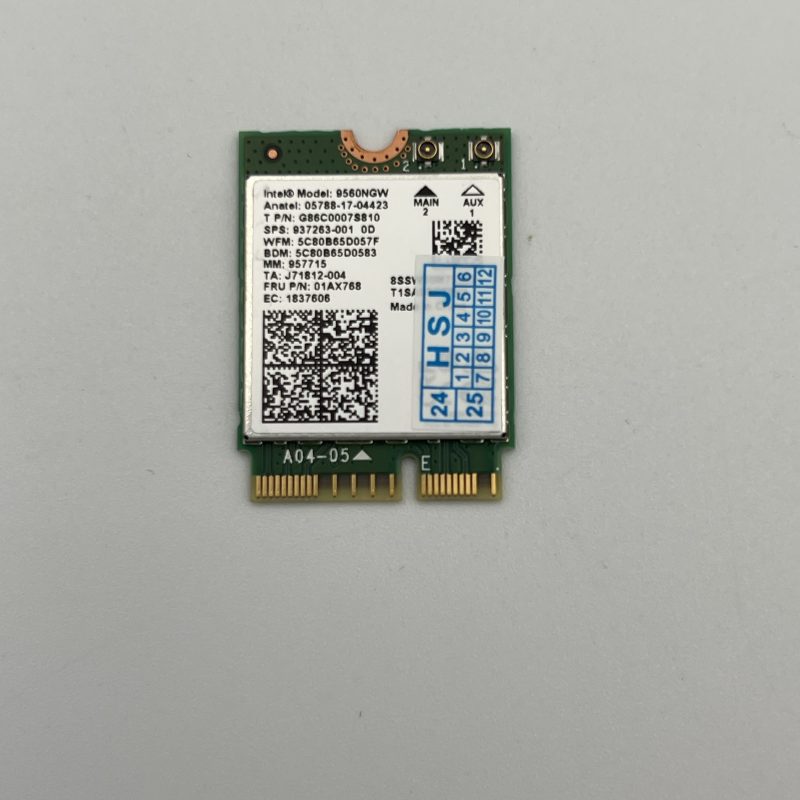
Supported Operating Systems
Windows 11, 64-bit, Windows 10, 64-bit, Linux, Chrome OS
Max Speed: 1.73 Gbps
Wi-Fi CERTIFIED: Wi-Fi 5 (802.11ac)
Compliance: FIPS, FISMA
BT Ver: 5.1
No products in the cart.